Docs MCP Server for Sphinx
Connect AI coding assistants like Cursor, Claude Code, and Copilot to your documentation using Biel.ai's MCP server.
About this Extension
Connect AI coding assistants like Cursor, Claude Code, and Copilot to your product documentation using Biel.ai’s Model Context Protocol (MCP) server. When your AI needs information about your product or API, it queries your documentation through MCP and receives relevant context to provide better answers without leaving your IDE.
What it does
- Connects your docs to AI coding assistants via the Model Context Protocol
- Works with Cursor, Claude Code, VS Code (Copilot), and other MCP-compatible tools
- Lets your AI search and reference documentation while helping developers write code
- Hosted MCP server with no installation or maintenance required
- Supports both Streamable HTTP and legacy SSE connections
How it works
While originally built with Sphinx documentation in mind, Biel.ai’s MCP server works with any documentation system. As long as your docs are indexed in Biel.ai, your AI assistant can query them regardless of the underlying framework.
- Create a Biel.ai account and index your documentation
- Get your MCP server URL from the Biel.ai dashboard
- Add the MCP server configuration to your AI coding assistant
- Your AI assistant automatically queries your docs when relevant
Setup
One-click configuration:
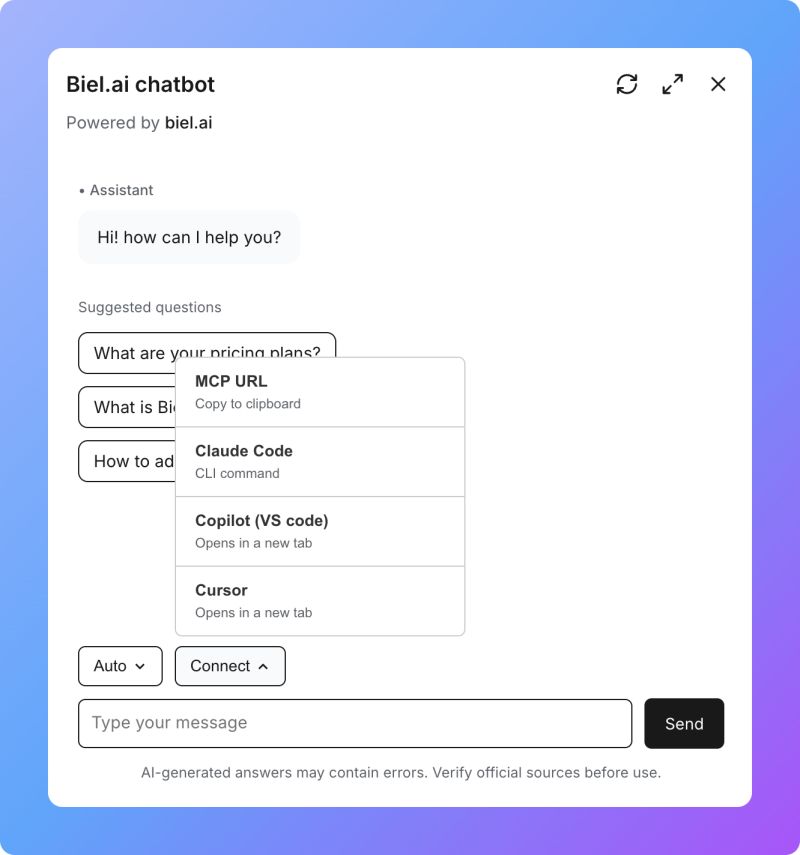
Go to your Biel.ai Widget, click Connect, and choose your preferred tool (Claude Code, Copilot, or Cursor) for automatic setup.
Manual configuration (Streamable HTTP):
{
  "mcpServers": {
    "biel-ai": {
      "name": "Biel.ai",
      "type": "http",
      "url": "https://mcp.biel.ai/v2/YOUR_PROJECT_SLUG/mcp"
    }
  }
}
For IDE-specific setup instructions, refer to:
Self-hosted option
For teams who prefer to host their own MCP server, see the self-hosting documentation on GitHub.